
We’re excited to share what’s new in MSUITE BIM 9.0. This release delivers a major leap forward for MSUITE BIM users working with MEP systems and hangers. Built on direct feedback from our user community, MSUITE BIM 9.0 is focused on giving you greater control, automation, and flexibility—making hanger workflows smarter, faster, and more reliable than ever.
Key New Features & Enhancements
Revit 2026 Support:
- MSUITE BIM 9.0 is now fully compatible with Autodesk Revit 2026, ensuring seamless integration with the latest platform updates and features.
Hanger Point Loads
- Calculate and track hanger point loads, including insulations, water fill, and Hanger estimated weight, with new shared parameters and flexible workflow commands to control when Point Loads are calculated.
Point Manager Enhancements:
- Improved renumbering options and greater control over point naming for both BIM Hanger Points and Traditional Family Points.
Connect Hangers to Hangers:
- Expanded workflows for connecting Hangers to Hangers. Users can connect hanger rod-to-rod and hanger rod-to-strut, and new connection preferences and in-window controls are available.
Automated Rod Coupler Controls:
- Automatically insert rod couplers when rod lengths exceed stock sizes, with full support for prefabrication and detailed Revit parameters for scheduling.
Hangers Placement on Duct & Pipe Fittings:
- Place hangers directly on elbows and transitions for greater modeling flexibility.
Hanger Manual Rod Length Override:
- Override rod lengths for single and trapeze hangers with easy checkbox controls.
Attach Hangers to IFC Model Elements:
- Support for placing hangers on floors and structural framing in imported or linked IFC models. IFC models are used for importing a Tekla Structural Model into a Revit Project.
Hanger Health Check:
- Users can scan, review, and fix hangers with a new dockable window, proactively resolving errors and upgrade issues.
Hanger Rules: Upper Attachments Settings:
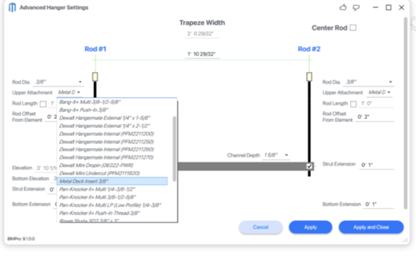
- Specify exact upper attachment types for each MEP element size, including floors and beams, with new dropdown menus in the Hanger Rules. More DEWALT Anchors & Fasteners coming in 9.1 with DEWALT Toughwire.
What’s New
Advanced Hanger Controls & Automation
Automated Upper Attachments:
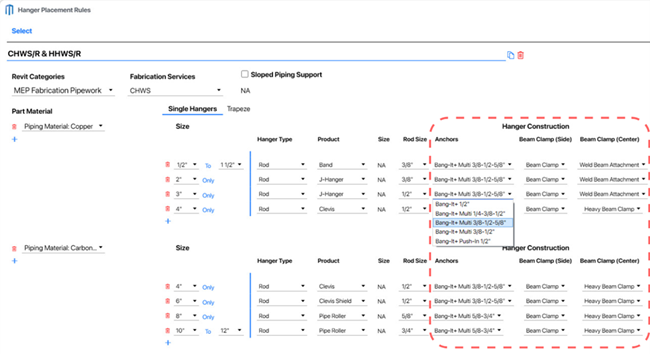
When creating Hanger Rules, users can now specify the exact upper attachment type for each MEP element size within the rule. This provides detailed control over how hangers connect to structural elements, with four dedicated dropdown menus:
Anchors:
For floor connections, the new Anchors dropdown displays available DEWALT Bang-it anchor sizes. Anchor options automatically filter based on the selected rod size, ensuring only compatible anchors are shown.
- Bang-It+ 3/8”
- Bang-It+ ¼-3/8-1/2”
- Bang-It+ ¼-3/8”
- Bang-It+ 3/8-1/2-5/8”
- Bang-It+ 3/8-1/2”
- Bang-It+ Push-In 3/8”
Sides of Beams:
Select attachments optimized for mounting to the sides of structural beams.
Center of Beams:
Choose center-mounted attachments for secure and balanced support.
The list of available upper attachments will expand in future releases, offering even more options to meet diverse project requirements—stay tuned for additional innovations from DEWALT.
Automated Rod Coupler Controls:
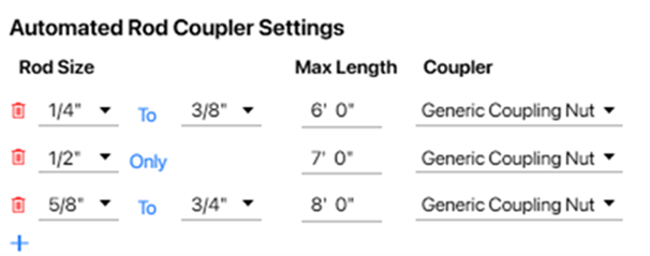
In Hanger Settings, users can now predefine the “Stock Lengths” for each rod size diameter, reflecting the standard lengths supplied by vendors (e.g., 1/2″ rods in 8′-0″ stock lengths).
When a required hanger rod length exceeds the set stock length for its size, MSUITE BIM 9.0 automatically inserts a rod coupler, allowing multiple rods to be joined and achieve the total required length.
This automation eliminates manual calculation and placement of couplers, ensuring accurate, constructible designs and streamlining both modeling and fabrication workflows.
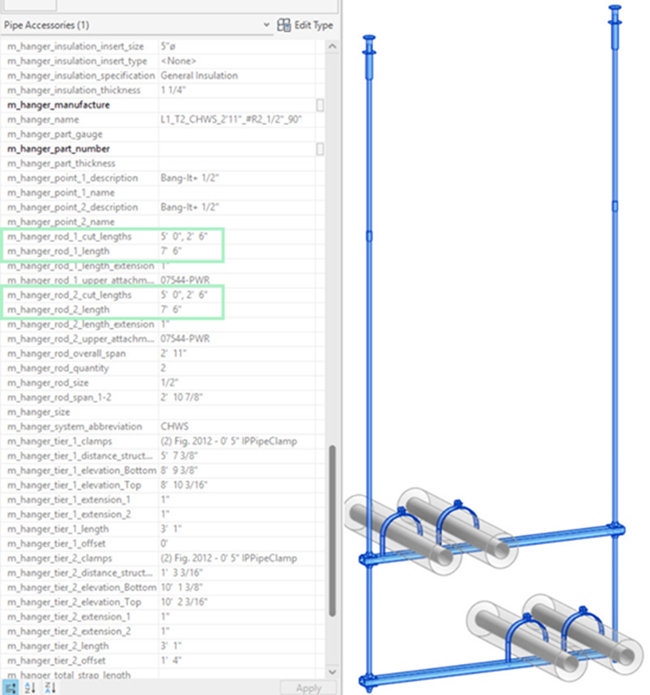
For prefabrication and BOM (Bill of Materials) tracking, two dedicated Revit parameters are provided:
- m_hanger_rod_length: The total length of the hanger rod (e.g., 10′-0″).
- m_hanger_rod_cut_lengths: A string listing all individual rod segments needed (e.g., “8′-0″, 2′-0″”).
These enhancements support more accurate material ordering, improve field coordination, and enable seamless integration with prefabrication processes.
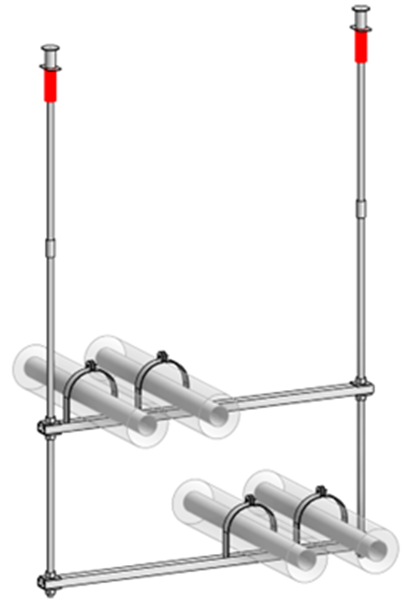
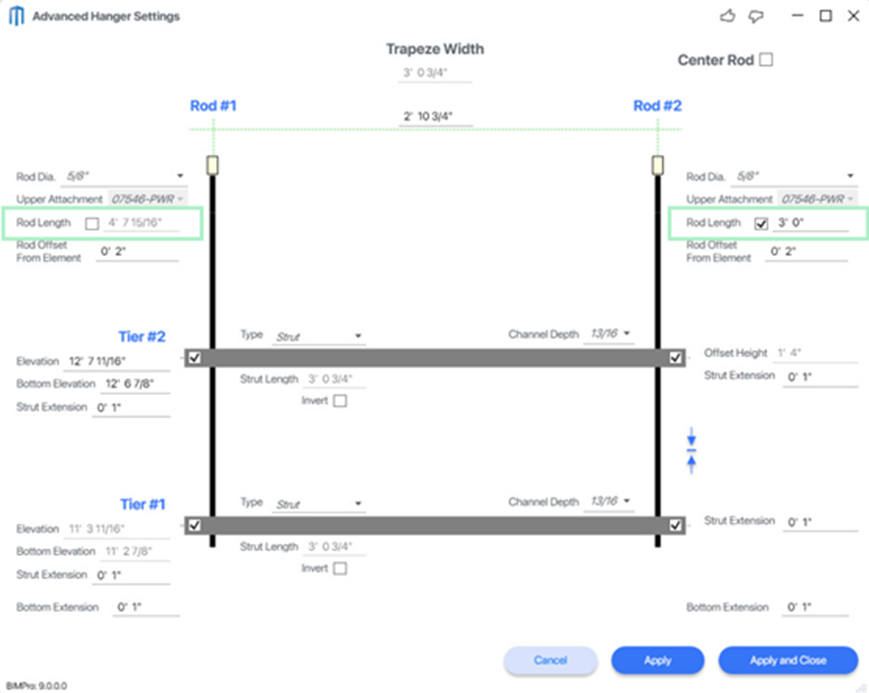
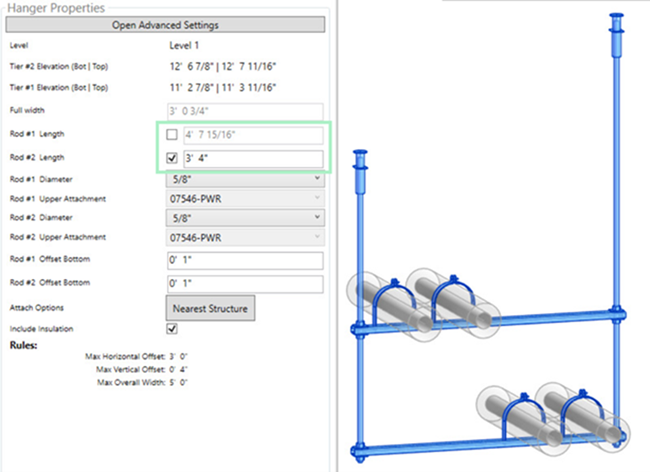
Manually override rod length with advanced property settings
The Hanger Properties window now allows users to manually override the calculated rod length for single rod and trapeze hangers. This is controlled in the Hanger Properties Window & Advanced Hanger Settings Window. There is now a Checkbox to override the Rod Length Value per Rod. When enabled, custom rod lengths and upper attachment locations can be entered as needed. Overridden values are reflected in schedules and exports.
Place hangers directly on fittings (elbows & transitions)
Hangers can now be placed directly on duct and sheet metal fittings, including elbows and transitions. This supports a wider range of duct configurations and ensures fittings are properly supported in the model.
Support for new beam types
Additional structural beam profiles are now supported for hanger placement, expanding compatibility with various building designs.
IFC Models (Linked & Imported)
Hangers can now be attached to “Floors” and “Structural Framing” elements within imported or linked IFC models, as well as native Revit elements. Attachment logic and geometry recognition are supported for these IFC elements.
Please get in touch with customer support if you have any issues. IFC models are not a Native Revit Structural Framing Format, and they do not provide easily accessible data to find the Structural Framing to connect. Let us know if you find any scenarios that may require additional programming.
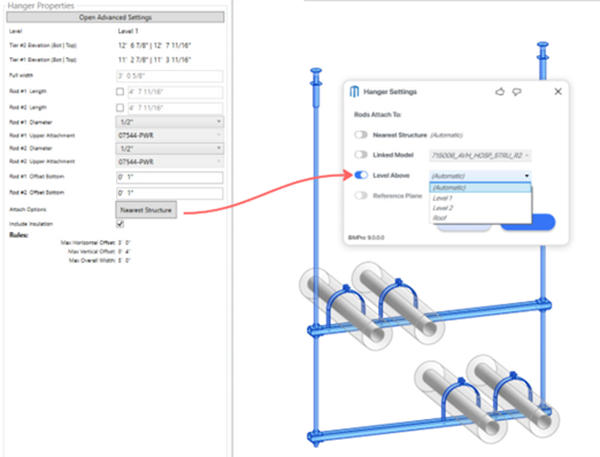
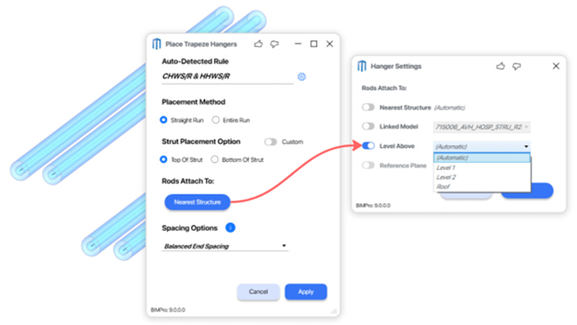
“Level Above” dropdown menu in hanger placement settings
A new dropdown menu in the hanger placement settings allows users to select from all available levels in the project for rod attachment. The default “Automatic” option remains available, with the dropdown providing additional control for multi-level projects.
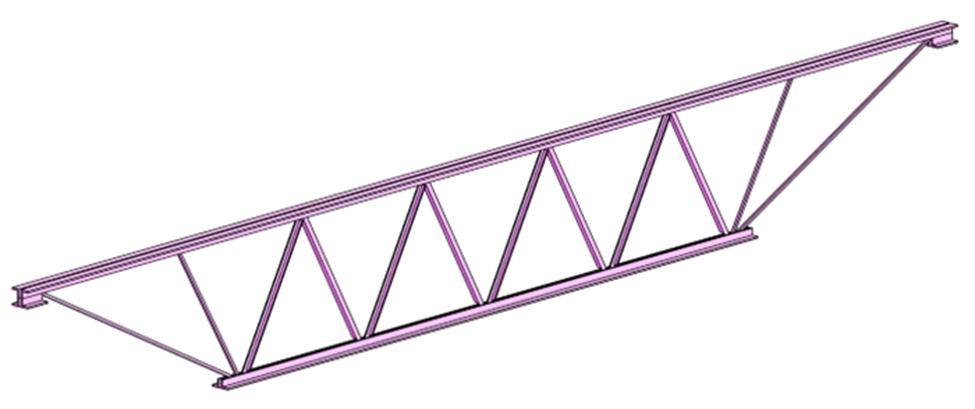
Support for new beam types
Additional structural beam profiles are now supported for hanger placement, expanding compatibility with various building designs.
Native Revit out of the Box Structural Framing:
C:\ProgramData\Autodesk\RVT 2020\Libraries\US Imperial\Structural Framing\Steel
- K-Series Bar Joist-Angle Web.rfa
- K-Series Bar Joist-Rod Web.rfa
Connect Hangers to Hangers:
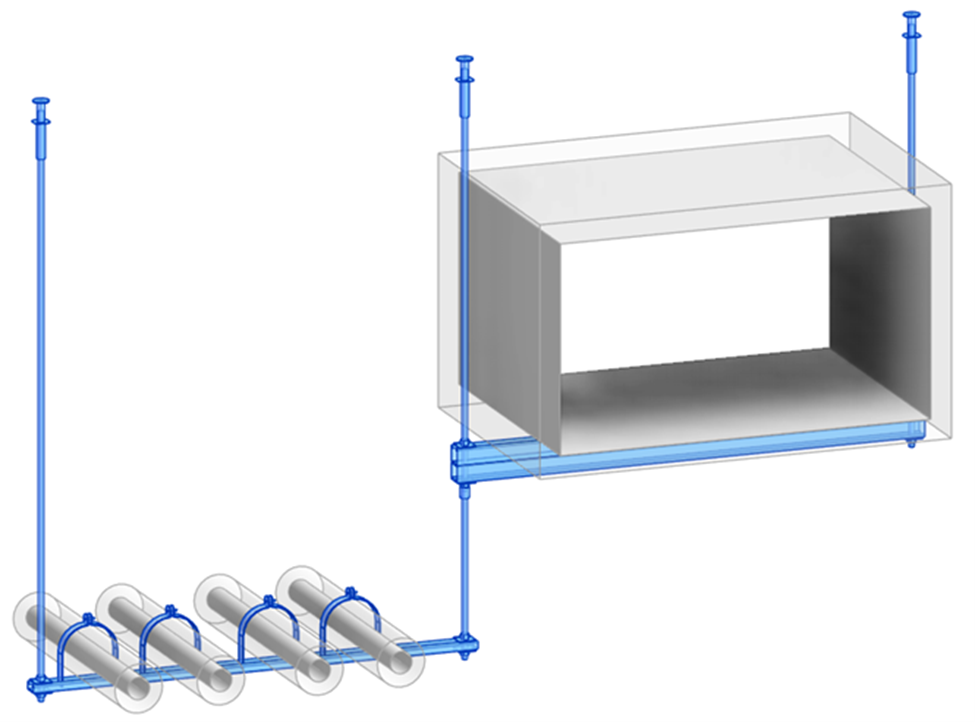
Expanded workflows now support connecting hangers directly to other hangers, enabling rod-to-rod and rod-to-strut configurations.
The user can now use the new “Connect Hangers to Strut/Hanger” and “Connect Rods to Rods”. They can also drag the hanger so that the center rod intersects the Trapeze Strut, and the rod length will automatically adjust, and the rod will connect to the Strut.
Ideal for complex assemblies and real-world support scenarios, such as multi-level piping or intricate structural layouts.
In Hanger Settings, users can set default “hanger-to-hanger connection preferences,” controlling whether a Strut Nut or Through Bolt is used when connecting hangers to a strut—streamlining design standards and field installation.
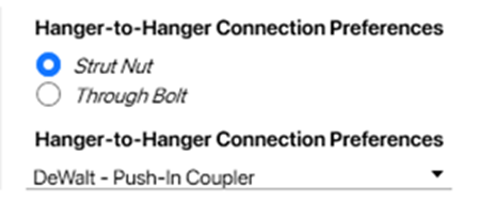
Controls for upper attachment settings allow precise management of how connected hangers interact, ensuring structural integrity and compliance.
In the Hanger Properties window, users can select a hanger and easily switch between a Strut Nut or Through Bolt connection for maximum flexibility.
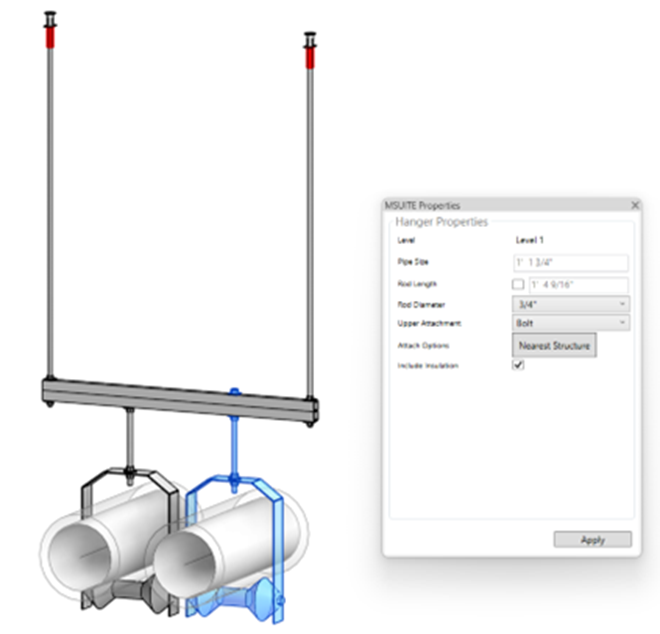
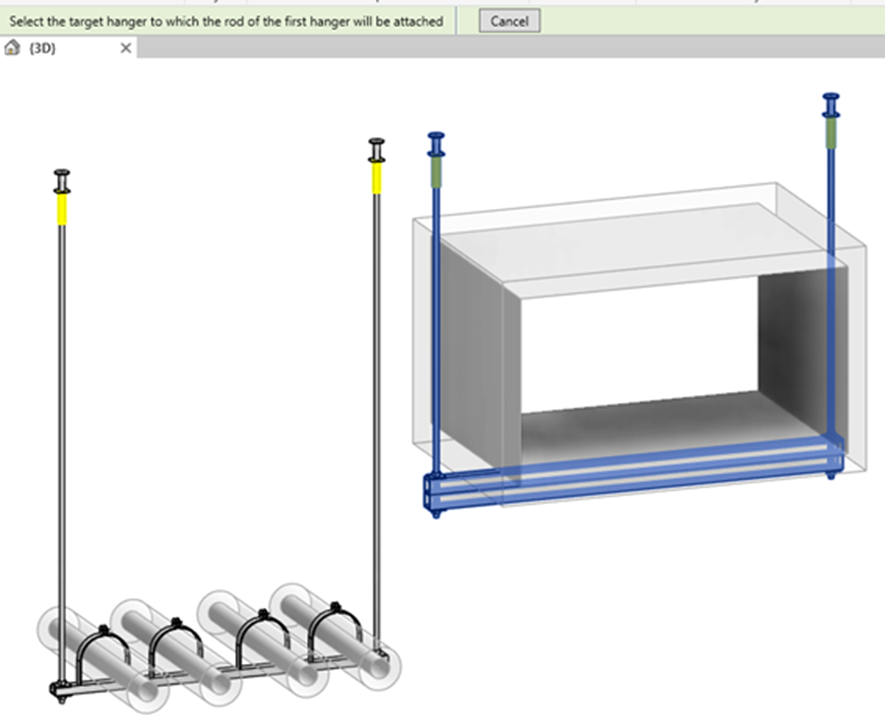
How to use Connect Hangers to Hangers (Rod to Strut).

Select the Movable Single Rod or Trapeze Hanger.
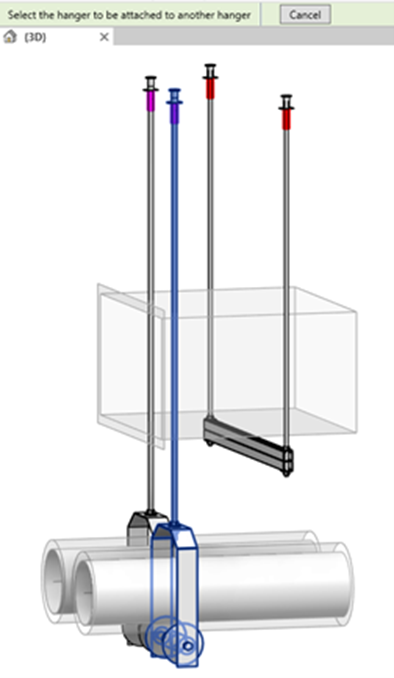
Select the Target/Host Trapeze Hanger.
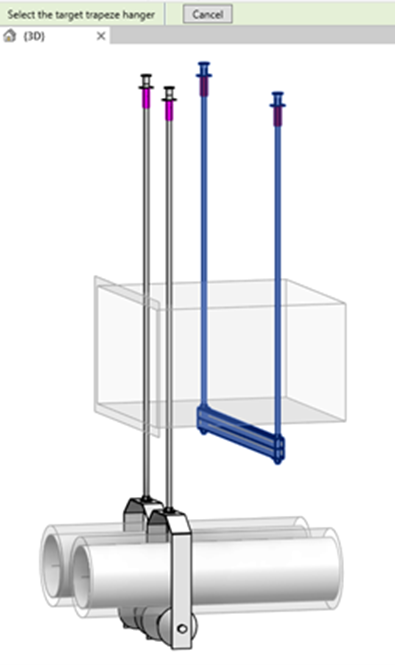
Movable Hanger is not connected to the Trapeze Stut.
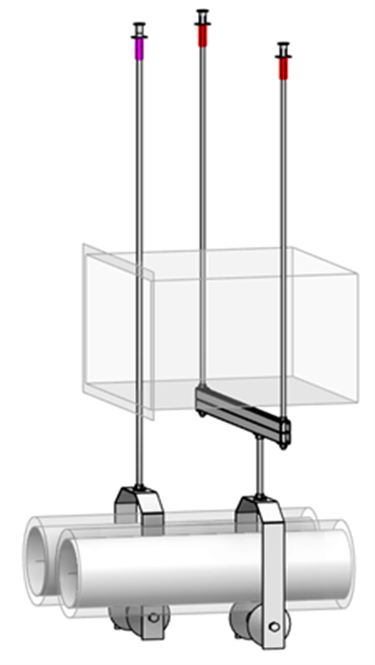
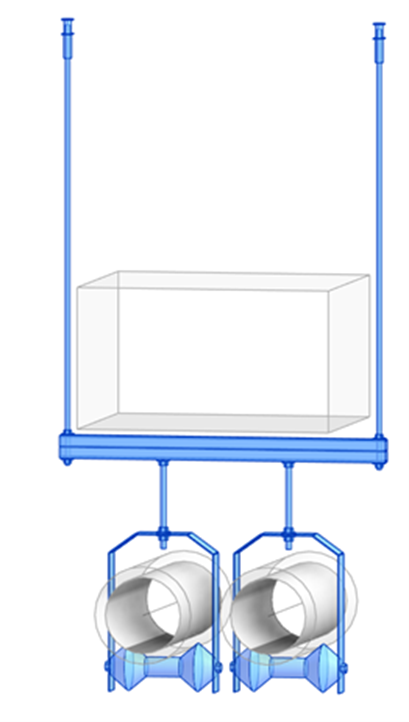
How to use Connect Hangers to Hangers (Rod to Strut).
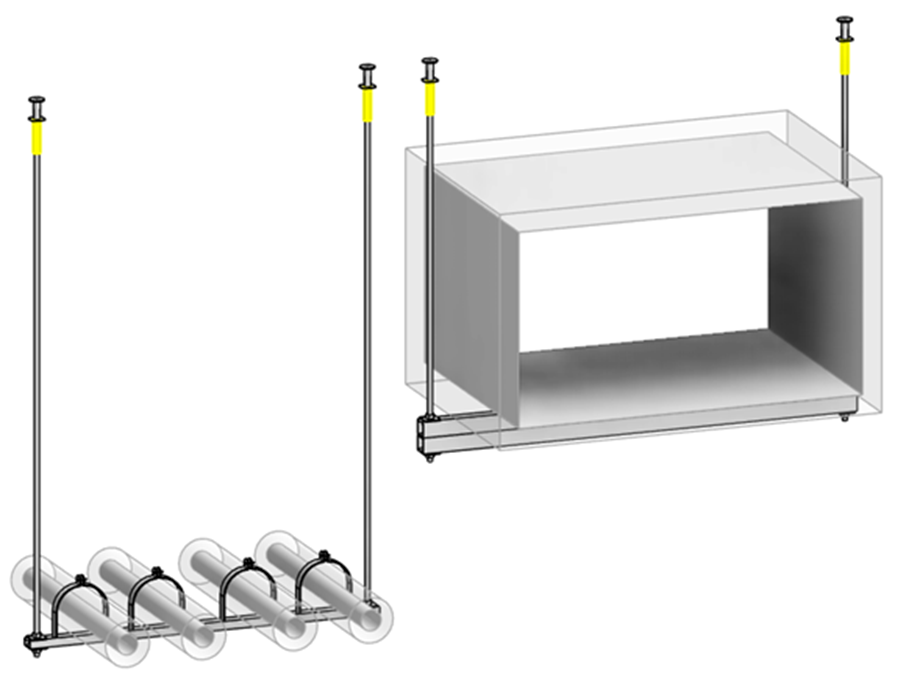
Select the movable hanger (single rod or Trapeze) whose rod needs to be attached to another Trapeze Rod.
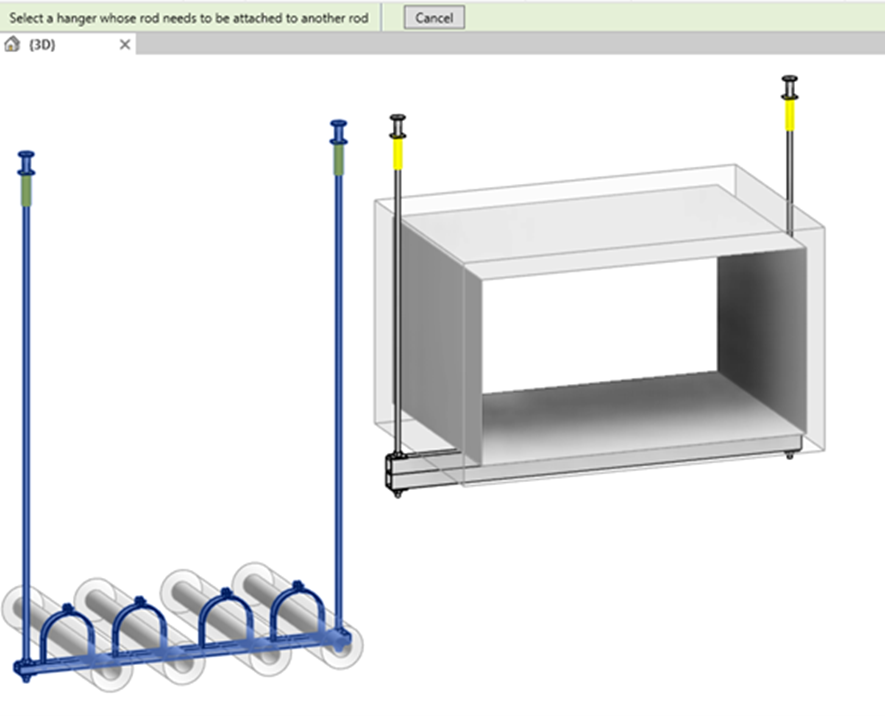
Select the Host/Target Hanger.
The Movable hanger rod will now connect to the Host/Targer hangers nearest Rod and automatically apply a coupling.
Estimated Hanger Point Loads
MSUITE BIM 9.0 introduces Point Load functionality for hangers, supporting both Revit ITM Fabrication Content and Sysque Content. This feature enables users to calculate and track the loads applied to each hanger point, including insulation weight, estimated weight, and total gravity load. All point load parameters are accessible within hanger properties for review, scheduling, and export.
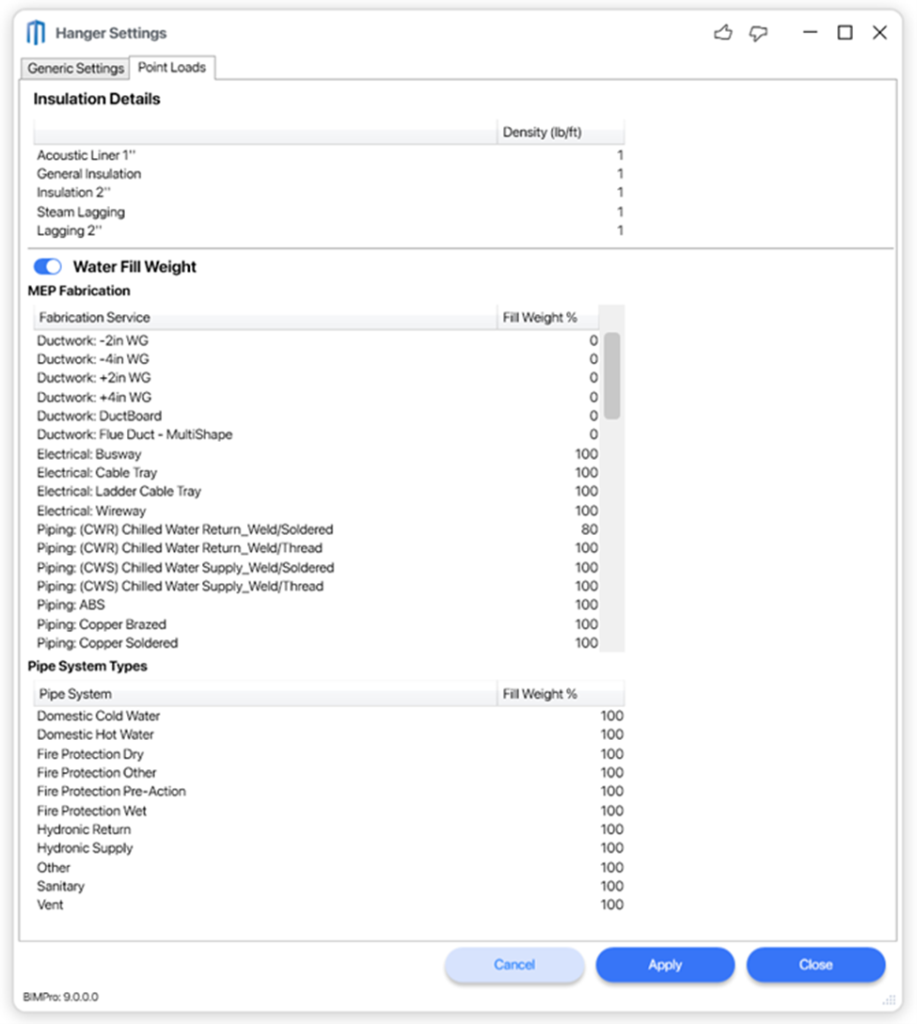
A new Point Loads tab has been added to the Hanger Settings. Within these settings:
- The Insulation Details area allows users to control the insulation density for each insulation type present in the Revit model.
- The Water Fill Weight option can be enabled to automatically include a water fill weight percentage in load calculations. For additional refinement, users can adjust the fill percentage for each loaded MEP Fabrication Service and Revit Piping System Type in the model. By default, each service and system is set to 100% fill weight percentage, but these values are fully editable.
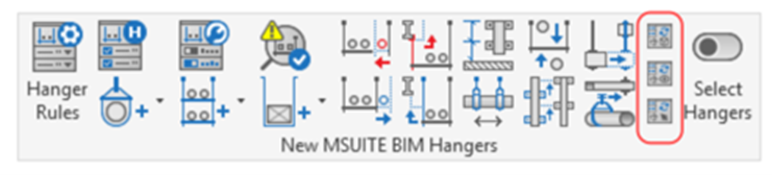
To optimize workflow and manage performance, Point Load calculations can be run using three dedicated commands:
- Update Point Loads Entire Model: Updates point loads for all hangers in the entire Revit project or model. This command may require significant processing time for large projects.
- Update Point Loads Current View: Updates point loads for all hangers visible in the current view, allowing users to focus calculations on specific areas of the model.
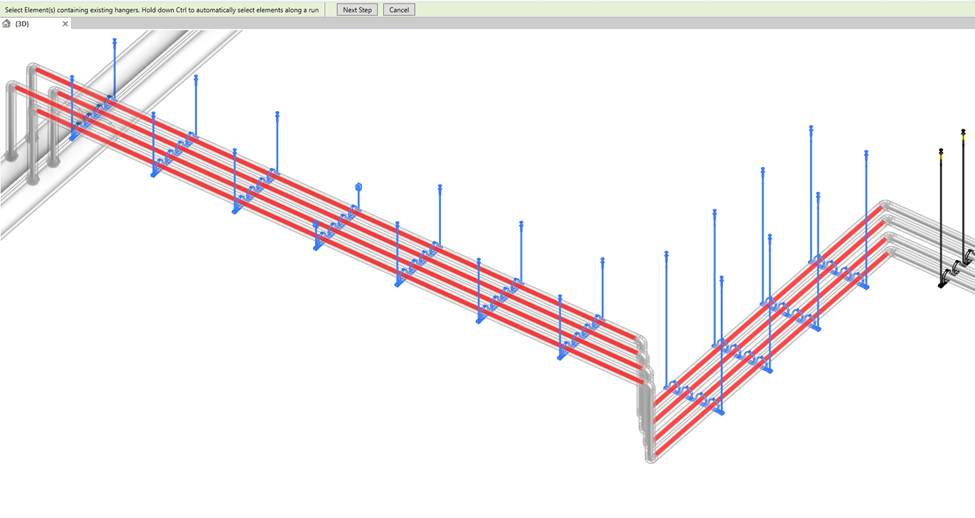
- Update Point Loads Selected Run: Allows users to select one or more runs of hangers and update point loads for those selected runs only.
This approach gives users control over when and where point load calculations are performed, helping manage performance and workflow efficiency for complex projects with thousands of hangers.
New MSUITE BIM Hanger Point Load Parameters
All new point load parameters are implemented as Revit shared parameters, making it easy for users to build custom tags, schedules, and documentation to suit their project needs.
| New Revit Shared Parameter | Description |
| m_hanger_pointload_total | Total vertical load applied to the hanger assembly (lbs) |
| m_hanger_pointload_1 | Individual point load #1 (lbf) |
| m_hanger_pointload_2 | Individual point load #2 (lbf) |
| m_hanger_pointload_3 | Individual point load #3 (lbf) |
| m_hanger_pointload_distribution_percent_1 | % distribution for point load #1 |
| m_hanger_pointload_distribution_percent_2 | % distribution for point load #2 |
| m_hanger_pointload_distribution_percent_3 | % distribution for point load #3 |
| m_hanger_pointload_hangerweight | Hanger estimated weight only |
The initial release of Point Loads lays the foundation for future enhancements, including engineered hanger sizing and expanded smart hanger solutions.
If you encounter any issues or inconsistencies with point load calculations, please contact MSUITE support. Your feedback is essential as we work together to improve hanger functionality and deliver the best possible solutions for our customers.
Point Manager Enhancements
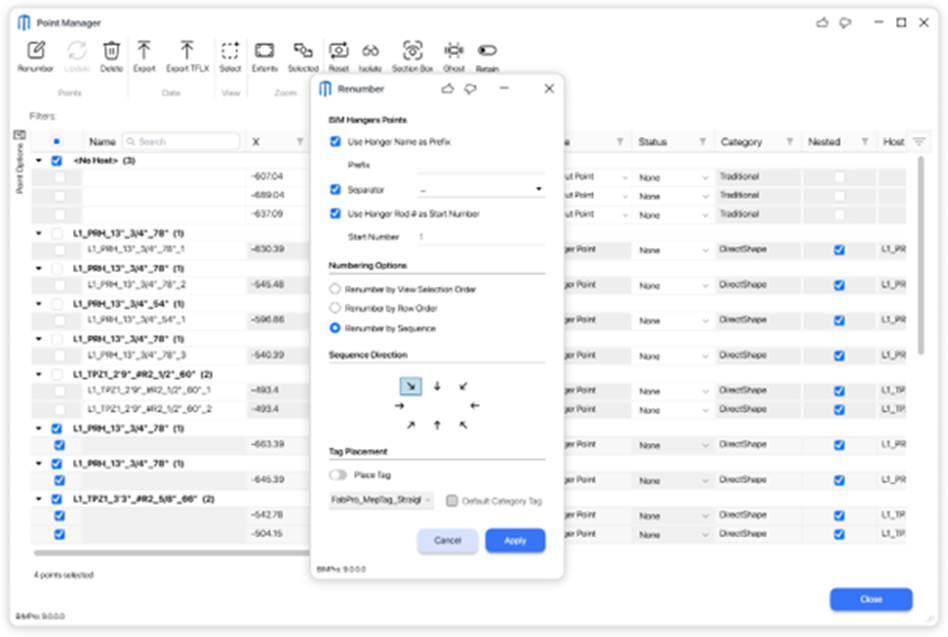
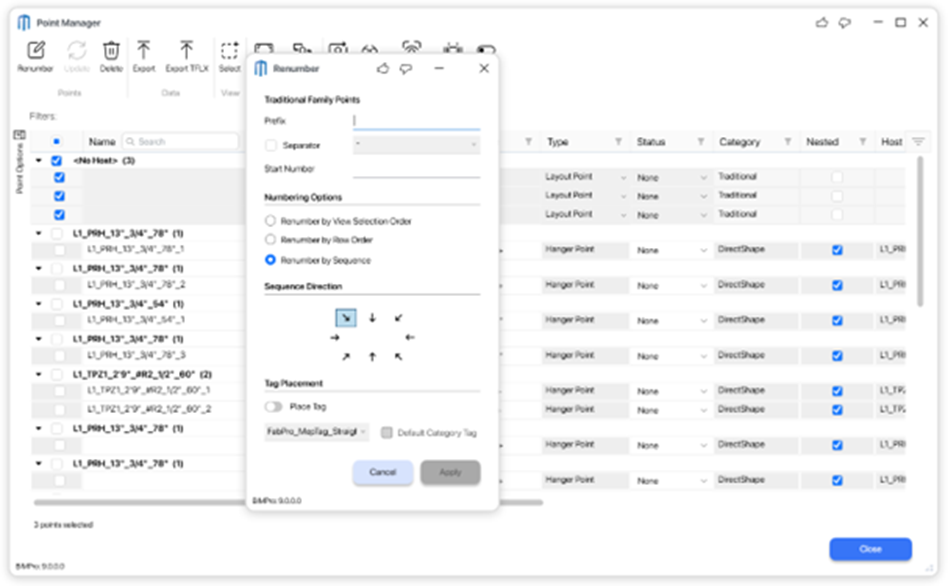
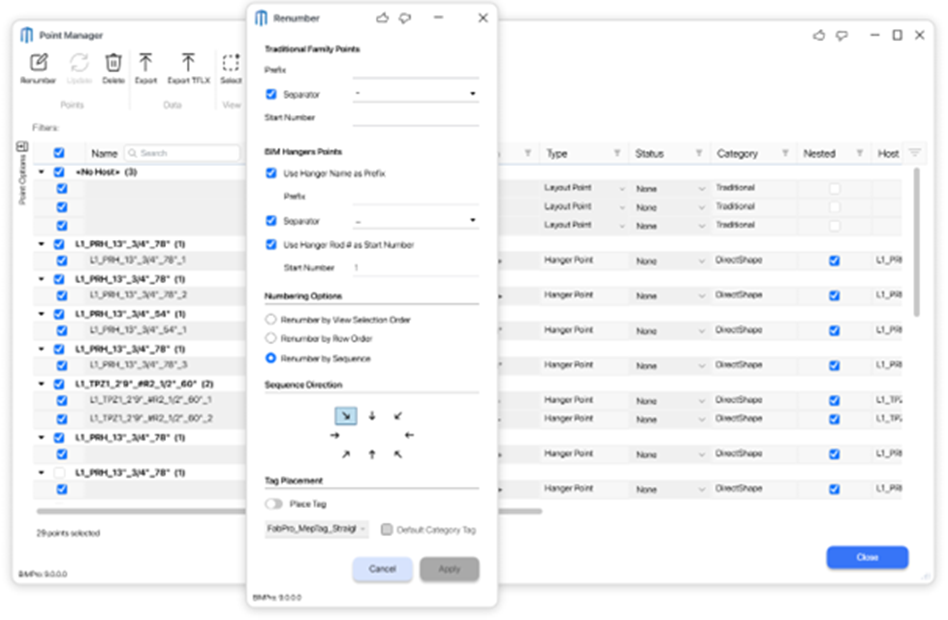
MSUITE BIM 9.0 introduces improved control and flexibility for renumbering points in your Revit models. The Point Manager now supports enhanced numbering options for both BIM Hanger (DirectShape) Points and Traditional RFA Family Points.
When renaming points, the Point Manager interface is divided into two sections:
- Traditional Family Points:
- Users can define the Prefix, Separator, and Start Number for point naming, giving full customization over how traditional family points are organized and labeled.
- BIM Hanger Points:
- Users can choose to use the Hanger Name as a prefix or enter a custom prefix, define the Separator, and select between using the Hanger Rod Number as the Start Number or specifying a custom Start Number.
- When the “Use Hanger Name as Prefix” and “Use Hanger Rod # as Start Number” options are enabled, point names are automatically generated to include the hanger name and rod number.
- For example, a two-rod trapeze hanger named TPZ1_3′-0″_R#2_5/8″_66 will have two associated points named TPZ1_3′-0″_R#2_5/8″_66_1 and TPZ1_3′-0″_R#2_5/8″_66_2, with each point automatically numbered to identify the corresponding rod.
These enhancements provide greater accuracy and consistency in point naming, making it easier to organize, track, and coordinate points for both BIM Hangers and traditional family content.
BIM Hanger Points Selected
Traditional Family Points Selected
Both BIM Hanger Points & Traditional Family Points Selected
Expanded Content & Placement Options
New Generic Coupler Content:
Added generic coupling nuts and reducers for flexible rod-to-rod connections.
Heavy Beam Clamp Content:
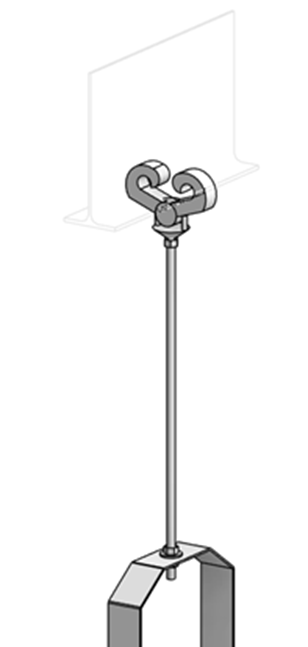
Anvil Fig. 292 with Weldless Eye Nut is now available for advanced upper attachment scenarios.
📈 Bug Fixes
We appreciate your feedback and support in helping us address issues and improve MSUITE BIM.
In this release, we resolved 131 bugs, including several related to spooling and data management:
- Hanger updates now ensure hangers are properly snapped after moving, reducing placement errors.
- Fixed issues with spool naming and filling number gaps in BIMPro.
- Improved reliability for managing spools, including deselection and PDF icon saving.
- Spool name updates now propagate correctly to all associated parts after merging.
📈 Installation & Technical Notes
If you experience any issues or failures with uploading to MSUITE FAB and the MSUITE Desktop APP, try logging out and into MSUITE BIM to reset the Cache data. In future releases, we will be implementing improvements to resolve this issue.
Contact our Customer Success department to request an MSI Installer support@MSUITE.com
MSUITE BIM 9.1 Release Notes
Overview
This release is all about giving you more control and flexibility with hangers, especially with the new DEWALT Toughwire and the expanded catalog of DEWALT Upper Attachments and Anchors.
Now, users can pick exactly which upper attachment they want for each hanger, right inside the “Hanger Rules”. You can set up rules for your standard attachments, but if a hanger needs something different on-site, just change the attachment for that specific hanger—no extra steps. This means faster changes, less hassle, and designs that match real-world conditions.
All DEWALT Toughwire and Upper Attachments are fully integrated with Revit shared parameters. This ensures every hanger is ready for accurate scheduling (Part Numbers) and Bill of Materials (BOM) reporting, so what you design is exactly what gets built and tracked.
Key Enhancements
DEWALT Toughwire Support
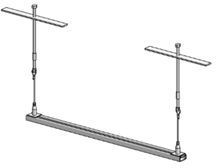
- More options for DEWALT Toughwire hangers, with new parts and rules for different scenarios.
- Easier selection and naming for Toughwire products.
DEWALT Upper Attachments & Anchors Catalog
- A bigger catalog of DEWALT upper attachments and anchors to choose from.
- All upper attachments can be managed in the hanger rules—set your defaults or change them as needed.
Per-Hanger Customization
- Change the upper attachment for any hanger, even after it’s placed. Adjust on the fly to fit the job or site conditions.
- Example: Set up a rule for “DEWALT Bang-it 1/2” as the default, but switch to “DEWALT Powerstud SD2 ” for an area of hanger that needs to be drilled because the concrete has already been poured—right from the model.
Accurate Scheduling & BOM
- Every hanger and attachment uses Revit shared parameters, so your schedules and BOMs are always up-to-date and accurate.
Point Loads Enhancements
- Refined calculations for fittings and hangers support safer, more accurate project design.
What’s New in 9.1 — Major Highlights
Introducing DEWALT Toughwire — What Is It and Why Is It Important?
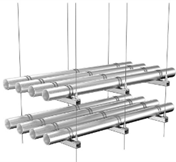
DEWALT Toughwire is a cutting-edge cable hanger system designed to simplify and strengthen the installation of electrical, mechanical, and plumbing components in construction projects. Unlike traditional wire solutions, Toughwire offers:
- Superior Strength & Reliability: Engineered by DEWALT, Toughwire provides exceptional load-bearing capacity and durability, ensuring your installations remain secure over time.
- Quick & Easy Installation: Toughwire’s innovative design allows for faster setup compared to conventional methods, reducing labor time and minimizing errors.
- Versatile Applications: Suitable for a wide range of project types, Toughwire supports complex layouts and adapts to various building environments.
- Industry-Leading Safety: Built to meet rigorous safety standards, Toughwire helps protect your team and your projects.
Why Is This a Game-Changer?
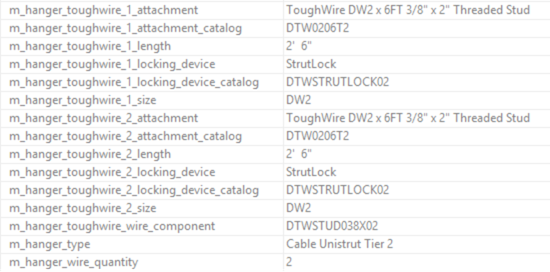
With Toughwire now integrated into MSUITE BIM 9.1, users can leverage DEWALT’s trusted technology directly within their workflows. The platform automatically generates Bill of Materials (BOM) data and catalog numbers for all DEWALT Toughwire components, making procurement faster and easier. This seamless integration ensures:
- Streamlined Procurement: Instantly access accurate BOM and catalog numbers for DEWALT Toughwire, reducing manual entry and errors.
- Improved Project Planning: Automatic data generation supports efficient ordering and inventory management.
- Enhanced Accuracy: Users can confidently specify and source the exact components needed for their projects.
DEWALT Toughwire Parts
- TOUGHWIRE: SQUARELOCK
- TOUGHWIRE: STRUTLOCK
- TOUGHWIRE: TOUGHLOCK
- Manage Hangers:
- Add “Toughwire” & “Straps” Support to Hanger Name String
- Toughwire Abbreviations
- Hanger Naming String Default Value
- Toughwire Wire Length: Automatically update the Wire Attachment Catalog Number based on length
- Toughwire Clevis Hanger
Expanded DEWALT Upper Attachments & Anchors — What Are They and Why Are They Important?
MSUITE BIM 9.1 introduces a wider range of DEWALT upper attachments and anchors, providing users with enhanced options for securing cable hangers and other components to structural elements. These new attachments deliver:
- Greater Flexibility: Choose from an expanded selection of DEWALT anchors to match diverse project requirements and structural configurations.
- Superior Strength & Reliability: DEWALT anchors are engineered for maximum load capacity and durability, ensuring safe and long-lasting installations.
- Compatibility: Optimized for seamless integration with Toughwire and other MSUITE BIM systems.
Why Is This a Game-Changer?
With the expanded DEWALT upper attachments and anchors now available in MSUITE BIM 9.1, users benefit from automatic generation of Bill of Materials (BOM) data and catalog numbers for all anchor components. This delivers:
- Streamlined Procurement: Instantly access accurate BOM and catalog numbers for DEWALT upper anchors, making ordering and sourcing faster and more reliable.
- Efficient Project Planning: Automatic anchor data supports precise ordering and inventory management, reducing manual effort and errors.
- Enhanced Accuracy: Users can confidently specify and procure the exact anchor types needed for their unique project needs.
DEWALT Upper Attachments & Anchors – New Catalog Parts
- Hangers Content:
- DEWALT Bang-It+ Concrete Inserts – Multi Bang-It
- DEWALT WoodKnocker+ Concrete Inserts
- DEWALT Pan Knocker-It+ Concrete Inserts
- DEWALT Deck Insert DDI+
- DEWALT Power-Stud SD2
- DEWALT HangerMate Externally Threaded
- DEWALT Mini Dropin
- DEWALT Mini-UnderCut+
- DEWALT Hangermate
- Manager Hangers: New Upper Attachments Abbreviation
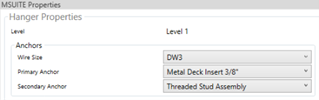
- MSUITE Properties ability to change anchors per instance
Hanger Rules Enhancements
MSUITE BIM 9.1 delivers a major upgrade to Hanger Rules by introducing a new “Wire/Rod” column within the Hanger Construction process. This enhancement provides users with greater control and accuracy when designing hanger assemblies.
- “Wire/Rod” Selection as the Starting Point:
- The new “Wire/Rod” column is now the first question in Hanger Construction. Users can quickly specify whether they are using a Toughwire Cable or a Threaded Rod for their hanger, setting the foundation for the rest of the configuration.
- Dynamic, Guided User Experience:
- Once the “Wire/Rod” type is chosen, the user interface automatically adjusts. Each subsequent Hanger Construction setting is filtered to display only compatible options, guiding users step-by-step through the selection process.
- Error Prevention Through Compatibility:
- By ensuring that only corresponding and compatible elements are available for selection, this enhancement eliminates the risk of choosing non-compatible components—streamlining project planning and reducing costly mistakes.
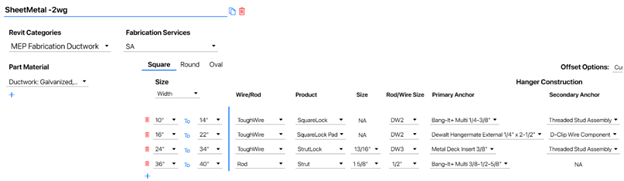
This upgrade makes configuring hanger assemblies faster, more intuitive, and error-resistant, empowering users to confidently build solutions tailored to their project’s needs.
DEWALT Toughwire
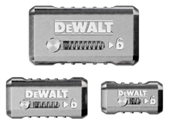
DEWALT ToughLock™Wire Locking Device
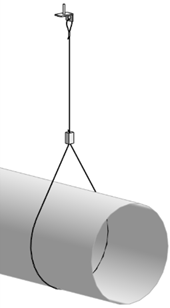
TOUGHLOCK™ Wire Locking Devices interface with TOUGHWIRE™ DW1, DW2, and DW3 wire rope (sold separately) to create an adjustable and lockable device correlation for HVAC, sheet metal, electrical, and plumbing/pipe applications. Designed to provide ultimate flexibility, TOUGHLOCK™ Wire Locking Devices are designed to help users customize an easy suspension solution to fit the appropriate application. With a large protruded slider pin that allows for tool-free adjustments and side raised grips for ease-of-use when wearing gloves, the TOUGHWIRE™ Wire Locking Devices features high visibility product identifiers.

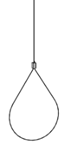
DEWALT StrutLock™Wire Locking Device
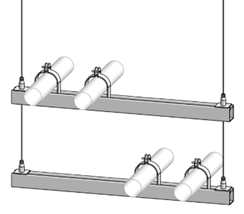
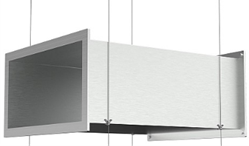
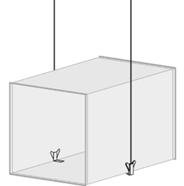
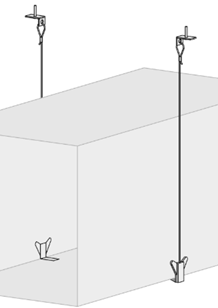
STRUTLOCK™ Wire Locking Devices interface with TOUGHWIRE™ DW2 and DW3 wire rope to create an adjustable and lockable device correlation for HVAC, sheet metal, electrical, and plumbing/pipe applications. This device is installed into the strut or channel profiles used to hang trapeze supports.
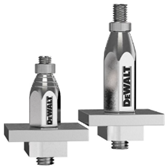
SquareLock™Wire Locking Device
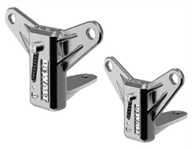
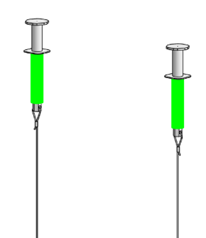
SQUARELOCK™ Wire Locking Devices interface with TOUGHWIRE™ DW2 and DW3 wire rope (sold separately) to create an adjustable and lockable device correlation for HVAC, sheet metal, electrical, and plumbing/pipe applications. These devices are designed to provide the flexibility to customize a suspension solution to fit the appropriate application. Features a large protruded slider pin that allows for tool-free adjustability and the L-shaped design quickly attaches fitment to hardware material. Product identifiers help correctly pair to other TOUGHWIRE™ parts. SQUARELOCK™ PAD products are also offered.



Threaded Stud Assembly – Wire Attachment
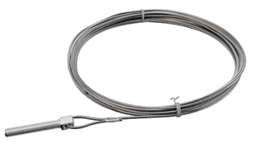
This Threaded Stud Assembly Wire Attachment interfaces with DW2 and DW3 TOUGHWIRE™ Wire Locking Devices. Made from Grade 5 steel, the threaded stud allows for TOUGHWIRE™ to be paired with a wide range of DEWALT® anchors and fasteners and other internally threaded hardware products. Threaded studs available in two sizes: 3/8 in.-16 x 2 in. and 3/8 in.-16 x 5 in. standard UNC all thread rod. Paired with a TOUGHWIRE™ Wire Locking Device (sold separately), this wire attachment can be used to quickly suspend a variety of building services including HVAC, sheet metal, electrical, and plumbing/pipe applications.



Powder Pin 90° Clip Assembly – Wire Attachment
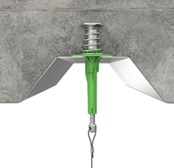
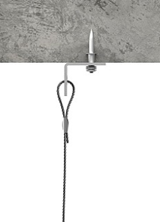
This Powder Pin 90° Clip Assembly Wire Attachment interfaces with DW1 and DW2 TOUGHWIRE™ Wire Locking Devices (sold separately). This CSI Powder Pin unites the TOUGHWIRE™ suspension system with the 90° clip assembly wire attachment. Paired with a TOUGHWIRE™ device, this wire attachment can be used to quickly suspend a variety of building services including HVAC, sheet metal, electrical, and plumbing/pipe applications. Usage of DEWALT® Powder-Actuated Tools (sold separately) required for Powder Pin 90° Clip Assembly Wire Attachments.

STICK-E™ 90° Clip Assembly – Wire Attachment
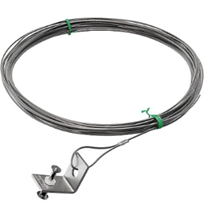
This STICK-E™ 90° Clip Assembly Wire Attachment interfaces with DW1 TOUGHWIRE™ Wire Locking Devices (sold separately). The STICK-E™ 90° Clip Assembly Wire Attachment unites with the TOUGHWIRE™ suspension system with use of a fastener (sold separately). Paired with a TOUGHWIRE™ device, this wire attachment can be used to quickly suspend a variety of building services including HVAC, sheet metal, electrical, and plumbing/pipe applications. The 20V MAX* Trak-It® C6 Gas Concrete Nailer (sold separately) is required for STICK-E™ 90° Clip Assembly Wire Attachments.

D-Clip – Wire Component
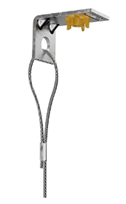
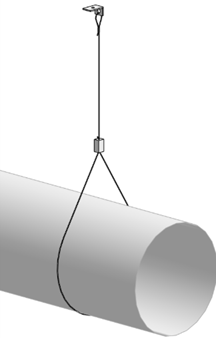
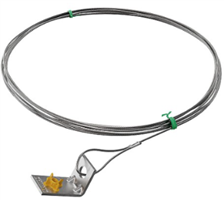
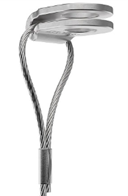
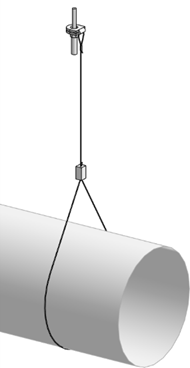
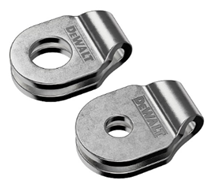
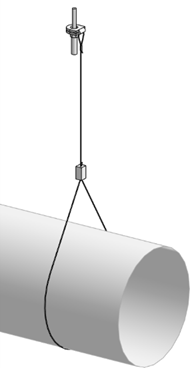
The D-Clip Wire Component is a one piece clip that is used to fasten TOUGHWIRE™ to the mounting surface. Can be mounted on flat or sloped surfaces. TOUGHWIRE™ Loop End Wire Assembly products (sold separately) are looped through the D-Clip, then anchored to the structure with a variety of DEWALT® Anchors and Fasteners.

DEWALT Expanded Content
Bang-It®+Cast-In-Place Concrete Insert Anchors
| 07548-PWR | 3/4″ Bang-It+ | 1-1/4″ | 3/4″ | Purple |  |
| PFM353143812 | 1/4-3/8-1/2″ Bang-It+ Multi | 7/8″ | 1/4-3/8-1/2″ | Aqua |  |
| PFM3523812 | 3/8-1/2″ Bang-It+ Multi | 7/8″ | 3/8-1/2″ | Gray |  |
| PFM353381258 | 3/8-1/2-5/8″ Bang-It+ Multi | 1-1/4″ | 3/8-1/2-5/8″ | Orange |  |
| PFM3525834 | 5/8-3/4″ Bang-It+ Multi | 1-1/4″ | 5/8-3/4″ | Black |  |
| PFM3610038 | 3/8″ Bang-It+ Push-In | 1-1/4″ | 3/8″ | Green |  |
| PFM3610012 | 1/2″ Bang-It+ Push-In | 1-1/4″ | 1/2″ | Yellow |  |
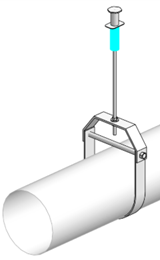


Pan-Knocker™II+Cast-In-Place Concrete Insert Anchors
| PFM2501438NN | 1/4-3/8″ Pan-Knocker II+ Multi LP (Low Profile) | 1/4-3/8″ | White |  |
| PFM253143812NN | 1/4-3/8-1/2″ Pan-Knocker II+ Multi | 1/4-3/8-1/2″ | Aqua |  |
| PFM253381258NN | 3/8-1/2-5/8″ Pan-Knocker II+ Multi | 3/8-1/2-5/8″ | Orange |  |
| PFM2525834NN | 5/8-3/4″ Pan-Knocker II+ Multi | 5/8-3/4″ | Black |  |
| PFM2610038NN | 3/8″ Pan-Knocker II+ Push-In Thread | 3/8″ | Green |  |
| PFM2610012NN | 1/2″ Pan-Knocker II+ Push-In Thread | 1/2″ | Yellow |  |

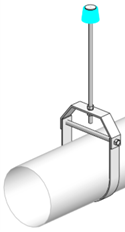
DEWALT WoodKnocker+ Concrete Inserts
| PFM253143812 | 1/4-3/8-1/2″ Wood-Knocker II+ Multi | 1/4-3/8-1/2″ | Aqua |  |
| PFM2521350 | 3/8-1/2″ Wood-Knocker II+ Multi | 3/8-1/2″ | Gray |  |
| PFM253381258 | 3/8-1/2-5/8″ Wood-Knocker II+ Multi | 3/8-1/2-5/8″ | Orange |  |
| PFM2525834 | 5/8-3/4″ Wood-Knocker II+ Multi | 5/8-3/4″ | Black |  |
| PFM2501438 | 1/4-3/8″ Wood-Knocker II+ Multi LP (Low Profile) | 1/4-3/8″ | White |  |
| PFM2610038 | 3/8″ Wood-Knocker II+ Push-In Thread | 3/8″ | Green |  |
| PFM2610012 | 1/2″ Wood-Knocker II+ Push-In Thread | 1/2″ | Yellow |  |
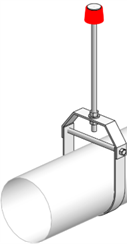

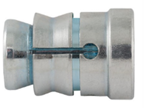
Mini-Undercut+™Internally Threaded Anchor
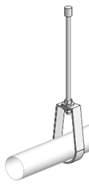
The Mini-Undercut+ anchor is an internally threaded, self-undercutting anchor designed for performance in cracked and uncracked concrete. Suitable base materials include post-tension concrete (PT slabs), hollow-core precast concrete, normal-weight concrete and lightweight concrete. The Mini-Undercut+ anchor is installed into a pre-drilled hole with a power tool and a setting tool. After installation a steel element is threaded into the anchor body. The result is an anchor which can provide consistent behavior at shallow embedment’s as low as 3/4 of an inch.
| Catalog Number | Rod Diameter | Anchor Size | Anchor Diameter Outside | Anchor Length |
| PFM2111820 | 3/8″ | 3/8″ x 3/4 | 5/8″ | 3/4″ |

Power-Stud®+ SD2High Performance Wedge Expansion Anchor
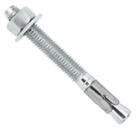
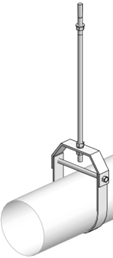
The Power-Stud+ SD2 anchor is a fully threaded, torque-controlled, wedge expansion anchor which is designed for consistent performance in cracked and uncracked concrete. Suitable base materials include normal-weight concrete, lightweight concrete and concrete over steel deck. The anchor is manufactured with a zinc plated carbon steel body and stainless steel expansion clip for premium performance.

DEWALT – Deck Insert DDI+
The DDI+ (Deck Insert) is a concrete insert designed for installation in concrete-filled metal deck assemblies (i.e. “pan-deck”, “Q-deck”). After installation, the threaded male hanger of the insert protrudes below the surface of the deck. DDI+ is available in a range of diameters. The threaded bolt offers adjustability for precise height requirements and guarantees the minimum embedment depth. The longer “T” brace insert plate enables a variety of installation locations in across the deck.
HangerMate®+ For Concrete – Internally Threaded
Rod Hanging Anchors for Concrete
The Hangermate®+ concrete screw is a one piece, steel anchor designed for rod hanging applications such as fire protection systems, ventilation systems, electrical conduit, pipe hanging and cable trays. Tested and qualified for use in cracked concrete and seismic conditions. The concrete Hangermate®+ requires ANSI masonry bits for installation, accepts 1/4″, 3/8″ or 1/2″ diameter threaded rods. It is also available in a 3/8″ male thread version.
| Catalog Number | Rod Diameter | Hex Size | Screw Size |
| PFM1421000 | 3/8″ | 1/2″ | 1/4″ x 1-5/8″ |
| PFM1421050 | 3/8″ | 1/2″ | 1/4″ x 2-1/2″ |
HangerMate®+ For Concrete – Externally Threaded
Rod Hanging Anchors for Concrete
The Hangermate®+ concrete screw is a one piece, steel anchor designed for rod hanging applications such as fire protection systems, ventilation systems, electrical conduit, pipe hanging and cable trays. Tested and qualified for use in cracked concrete and seismic conditions. The concrete Hangermate®+ requires ANSI masonry bits for installation, accepts 1/4″, 3/8″ or 1/2″ diameter threaded rods. It is also available in a 3/8″ male thread version.
| Catalog Number | Rod Diameter | Hex Size | Screw Size |
| PFM1421000 | 3/8″ | 1/2″ | 1/4″ x 1-5/8″ |
| PFM1421050 | 3/8″ | 1/2″ | 1/4″ x 2-1/2″ |
Mini Dropin™
Internally Threaded Expansion Anchor
The Mini Dropin is a carbon steel machine bolt anchor for use in shallow embedment applications. In addition to solid concrete and precast hollow core plank, it can be considered for use in post-tensioned concrete slabs and concrete pours over steel deck.
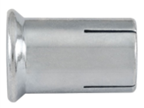
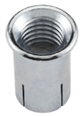
| Catalog Number | Rod Diameter | Anchor Diameter Outside | Anchor Length Overall |
| 06335-PWR | 1/4″ | 3/8″ | 5/8″ |
| 06322-PWR | 3/8″ | 1/2″ | 3/4″ |
| 06337-PWR | 1/2″ | 5/8″ | 1″ |
Hanger Health Check
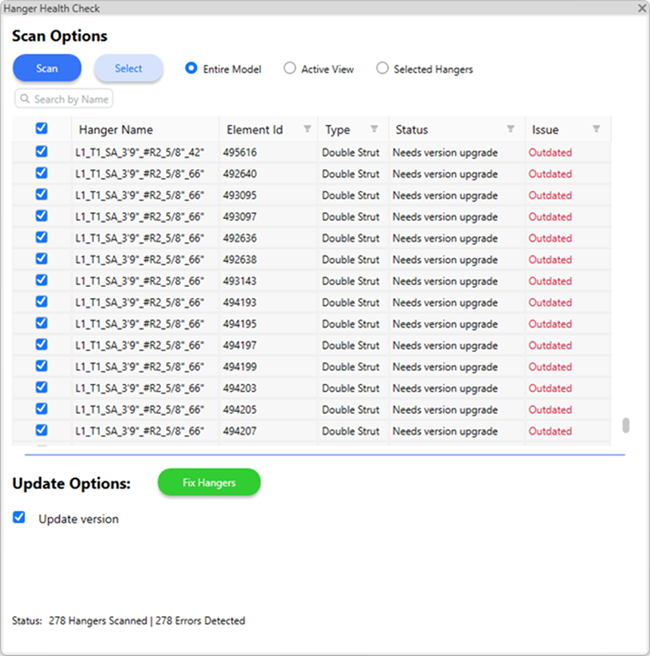
The new Hanger Health Check feature in MSUITE BIM 9.0 is a major redesign of the previous Update Hangers command. Now available as a dockable window in Revit, this tool provides full control to scan, review, and fix hangers—helping keep your model healthy and free of errors.
Why This Matters
Thanks to valuable feedback from our customers, we identified and addressed issues where users would receive native Revit 3rd Party Updater Errors. The Hanger Health Check is designed not only to proactively detect and resolve these errors, but also to help users isolate which specific hanger is causing the problem. The tool scans, identifies, and attempts to fix any hangers that are out-of-date or potentially corrupted.
In many cases, simply deleting and replacing a problematic hanger will resolve the error.
There may still be instances where the Health Check is unable to fix certain hangers. If this occurs, we ask customers to contact MSUITE support and provide the Revit model for further investigation. Our team will work to address these issues as quickly as possible in an upcoming release.
The goal of the Hanger Health Check is to proactively find and address issues before they disrupt your workflow, ensuring a smoother upgrade experience and reliable project data.
How It Works
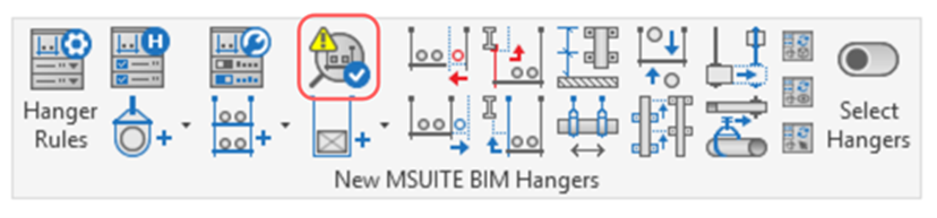
- Open the Dockable Hanger Health Check Window: Access the window from the MSUITE BIM tab. Dock, resize, or move it as needed.
- Scan for Issues: Scan the entire model, the active view, or selected hangers to identify any needing attention.
- Review & Select Hangers to Fix: View detected hangers in a grid with checkboxes for selection. Filter, sort, and choose which hangers to fix.
- Fix Hangers: Run the selected actions and receive a summary and log of what was fixed.
Added Value
- Proactively resolves native Revit 3rd Party Updater Errors and upgrade-related issues
- Helps isolate which hanger is causing errors, so targeted fixes can be applied
- In many cases, simply deleting and replacing a problematic hanger will resolve the error
- Ensures hangers remain compatible with the latest MSUITE BIM version
- Offers user control to scan, review, and fix hangers as needed
- Bulk actions and notifications save time and reduce troubleshooting
- Maintains model consistency and reliability after every upgrade
- Provides full transparency with status icons, logs, and clear action feedback